
Workflows and tasks
Workflow → Tasks is a board of tasks in Todo, In Progress and Done. Each task has a description, a workflow, a project (or its own folder) and an access mode. Run starts it; Trace shows every step.
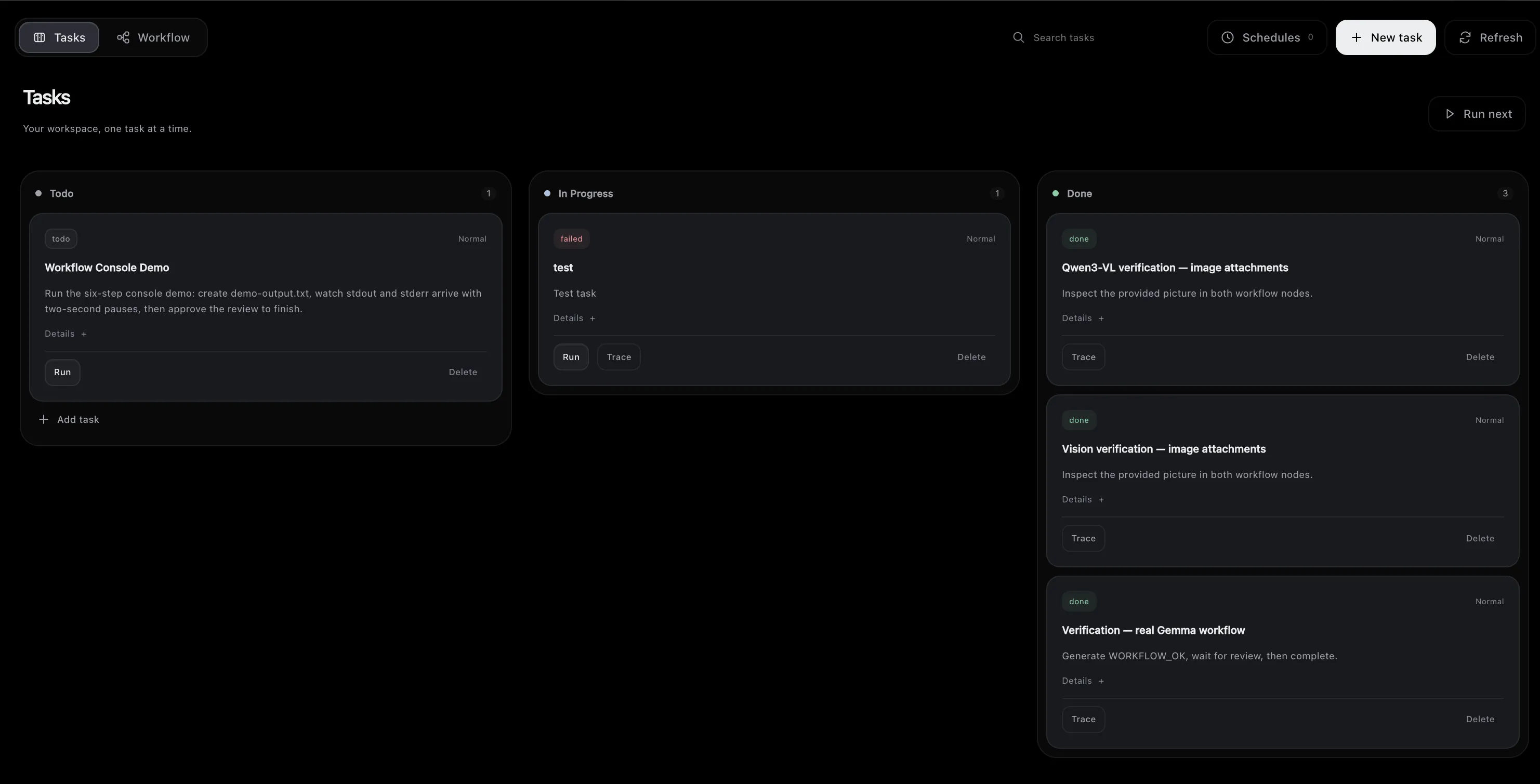
A task without a project gets its own folder, kept across runs.
Schedules
Section titled “Schedules”Schedules create a task every day or every week at a local time in a time zone you choose (for example Europe/Kyiv). Each occurrence is its own task with its own trace. If the app was off at the scheduled time, it runs once after it starts. Schedules run while the app (or the server) is running.
Workflow editor
Section titled “Workflow editor”Workflow → Workflow is a visual editor: steps connected by transitions.
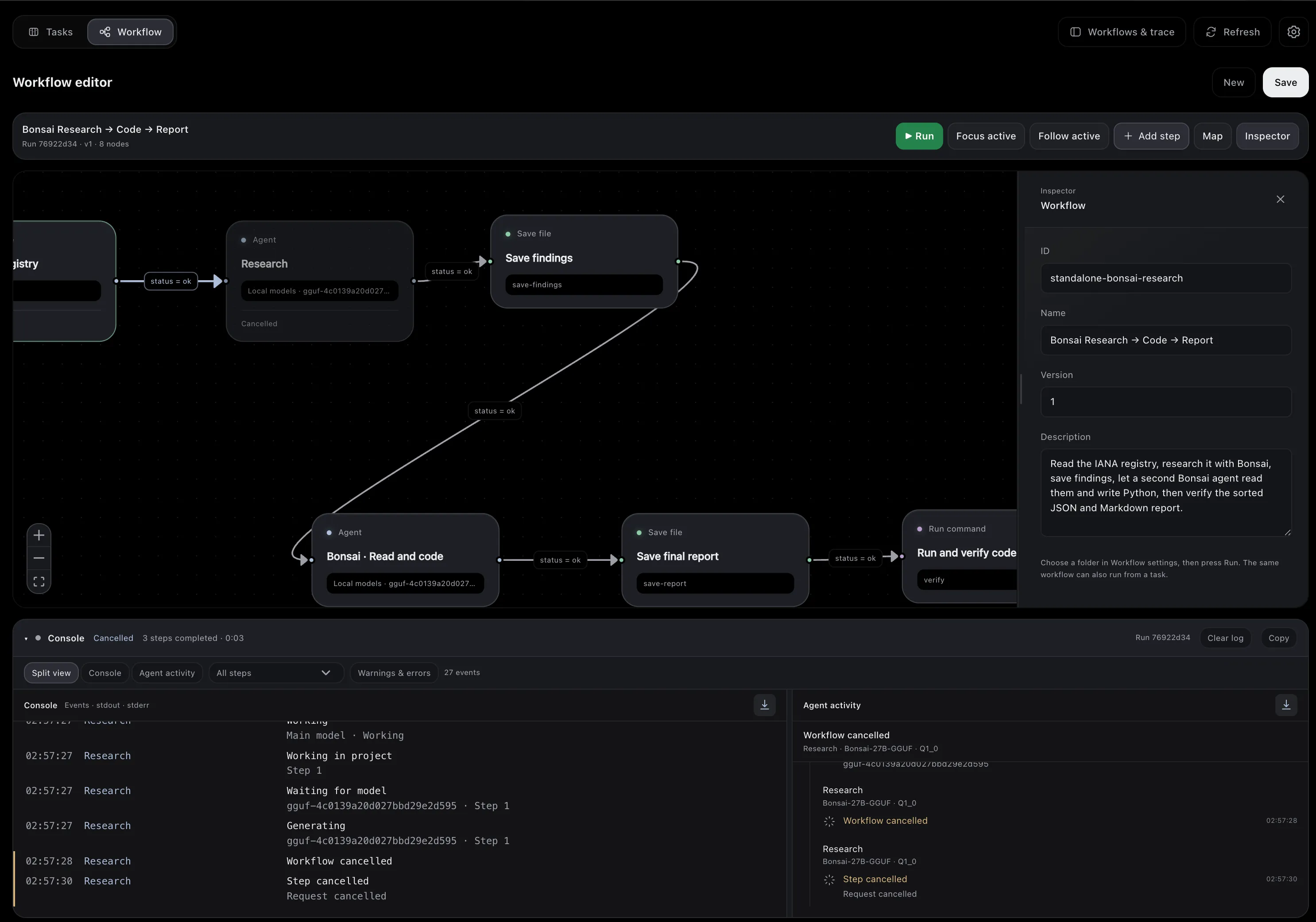
| Step | What it does |
|---|---|
| Agent | A model with tools works on the step’s instructions. |
| Files, Read file, Save | Search, read or write files in the workspace. |
| Search web, Read webpage | Search through SearXNG or Brave, or read a page. |
| Command | Runs a program with its arguments, without a shell. |
| MCP tool | Calls one tool of an MCP server with arguments, without a model. |
| Decision | Checks an earlier step’s output and takes one path or the other. |
| Review | Waits for a person: Approve & continue or Reject. |
| Terminal | Ends the run as succeeded or failed. |
Transitions fire on a step’s status (ok, failed, blocked), on an event, or on a value in its output. A step can use an earlier step’s output as {{nodes.<step-id>.data.<key>}}.
- A run keeps a snapshot of its workflow, so edits don’t change it.
- The console shows each step’s output, and Agent activity shows what the models did.
- Writes and commands follow the task’s access mode; a step can ask for review even with full access.
- If the app restarts during a run, the run is marked interrupted and continues with Resume. A command whose effect is uncertain is never repeated on its own.